

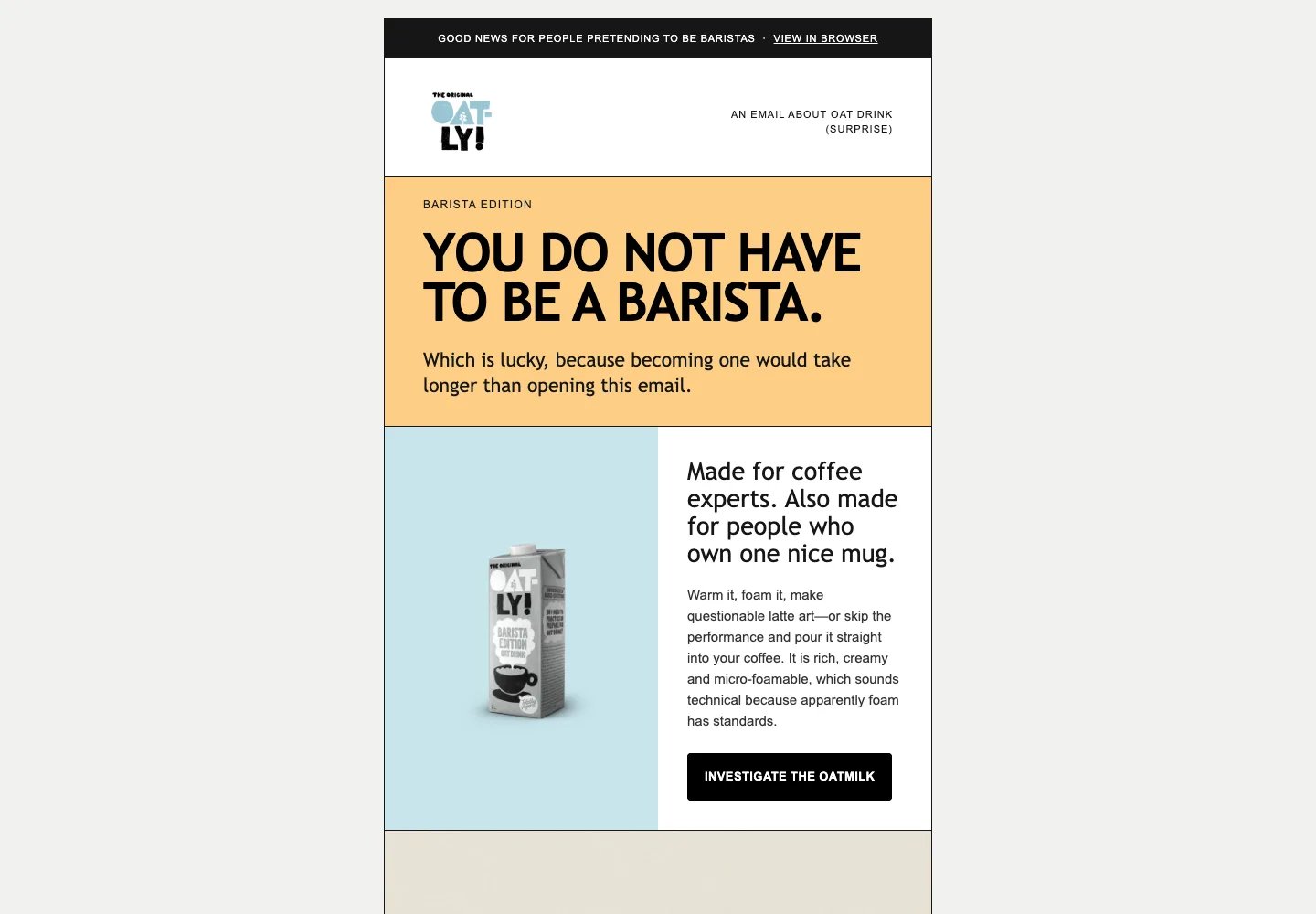
Oatly · Barista Edition campaign email concept
Open the email preview
Inspect the complete Oatly concept in your browser.
Download the HTML
Get the email source to inspect and adapt.
What you need
- A development environment connected to Bloom through MCP.
- A ready brand in Bloom, or sources to create one.
- A campaign goal, audience, and destination for the main call to action.
Run it with your agent
Connect Bloom to your agent
Connect Bloom through MCP in your development environment.
How it worked
1
Read the brand and choose assets
The active Brand Skill supplied Oatly’s voice, palette, and typography
guidance. The selected assets included the exact logo, Barista Edition
carton, and iced-coffee image.
2
Write around a supported product story
Barista Edition works for coffee professionals and home baristas. The email
turns that into an invitation to foam it or pour it directly into coffee,
with links to Oatly’s official product page.
3
Build the HTML email
A table-based layout and inline styles carry the design. Columns stack on
mobile, images have alternative text, and email-safe fonts support
compatibility across clients.
4
Preview and review
Desktop and mobile browser renders were reviewed, and automated
accessibility checks found no violations. These checks do not establish how
every inbox will render the email; test it in your target email clients
before sending.
What each system did
- Bloom supplied the Brand Skill and brand assets.
- The connected development environment wrote the copy and HTML, then rendered and reviewed the preview.
- Your email platform handles contacts, sender identity, subscription links, and sending after you import the HTML.
Before you send
- Replace the browser-view, preferences, unsubscribe, and company-address placeholders with your platform’s supported values. Check the campaign claims and destination links.
- Send test emails through your platform and check the clients your audience uses, including mobile layout, blocked images, and fallback fonts.