> ## Documentation Index
> Fetch the complete documentation index at: https://docs.trybloom.ai/llms.txt
> Use this file to discover all available pages before exploring further.
# Create a campaign image set
> Use an MCP-connected agent and Bloom to explore three campaign directions, select one, and resize it for social and web.
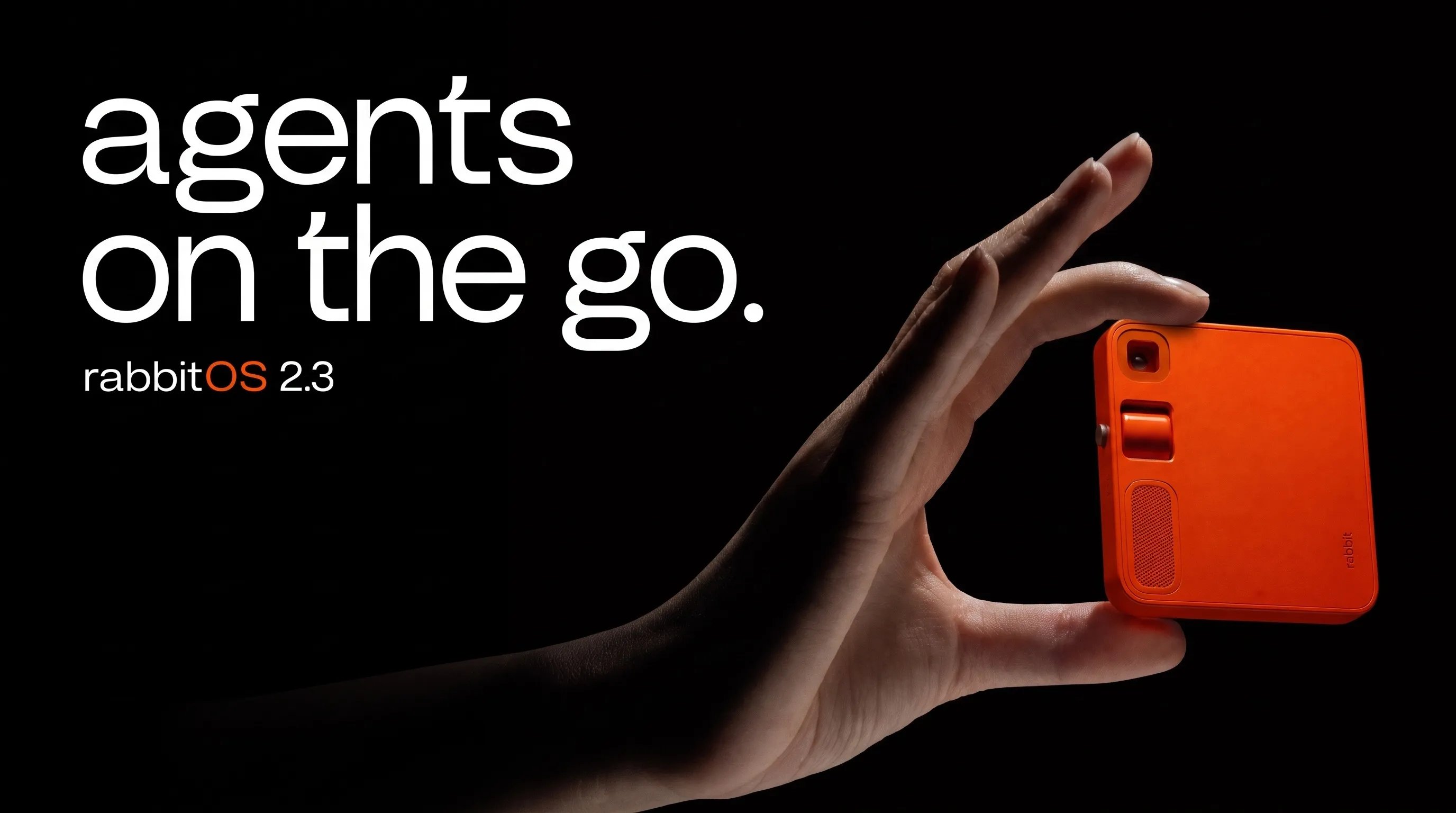
This example starts with `rabbit.tech` and ends with three campaign directions, followed by a selected direction in 4:5, 1:1, and 16:9.
An MCP-connected agent ran the workflow. Bloom held rabbit's brand and active Brand Skill, supplied Brand Library references, and created the images. The agent set the brief, compared the results, selected a direction, and asked Bloom for each size.
## Explore three directions
The agent asked Bloom for three distinct 4:5 interpretations of the same campaign idea. Each used rabbit's Brand Skill and r1 product references from the Brand Library.
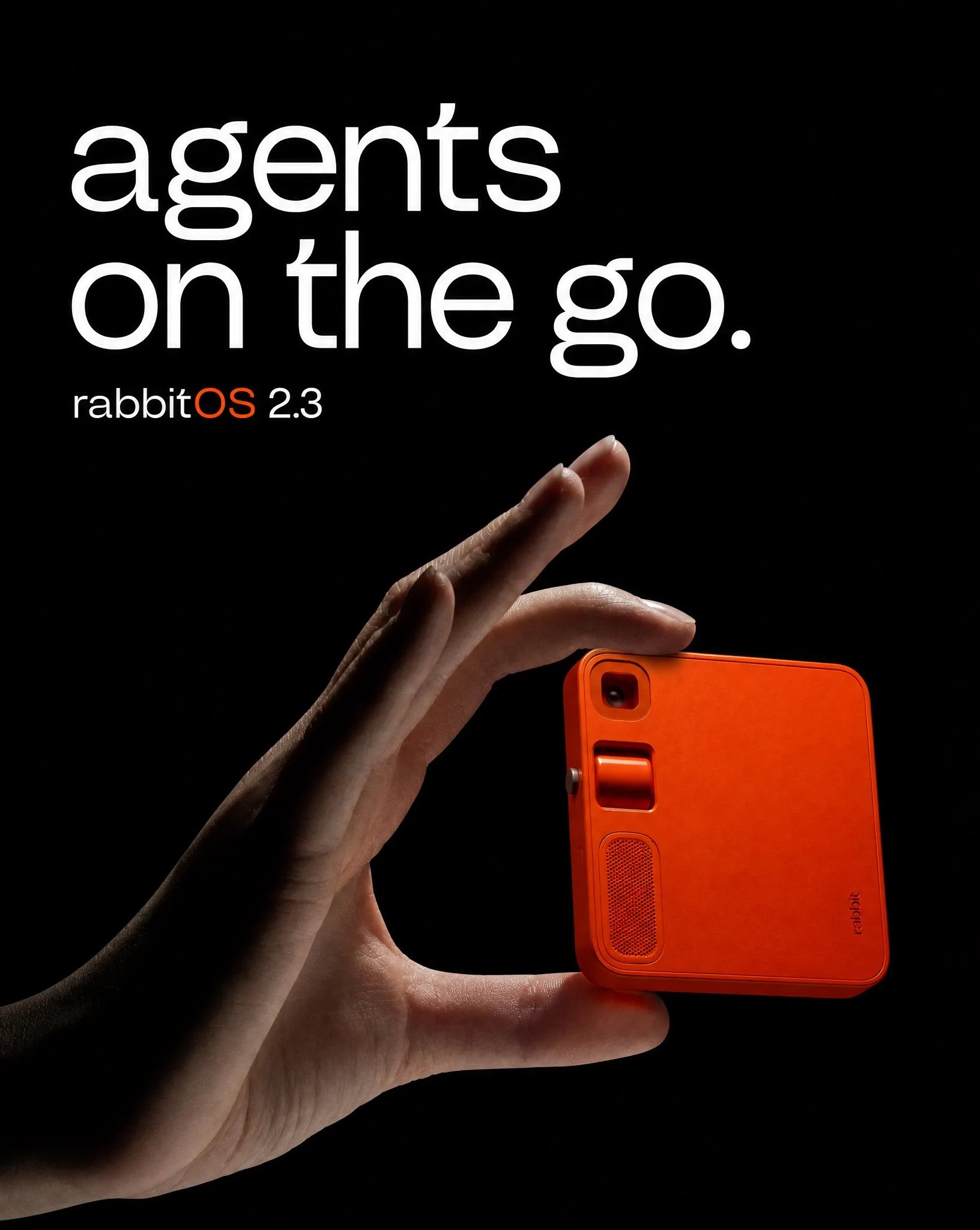
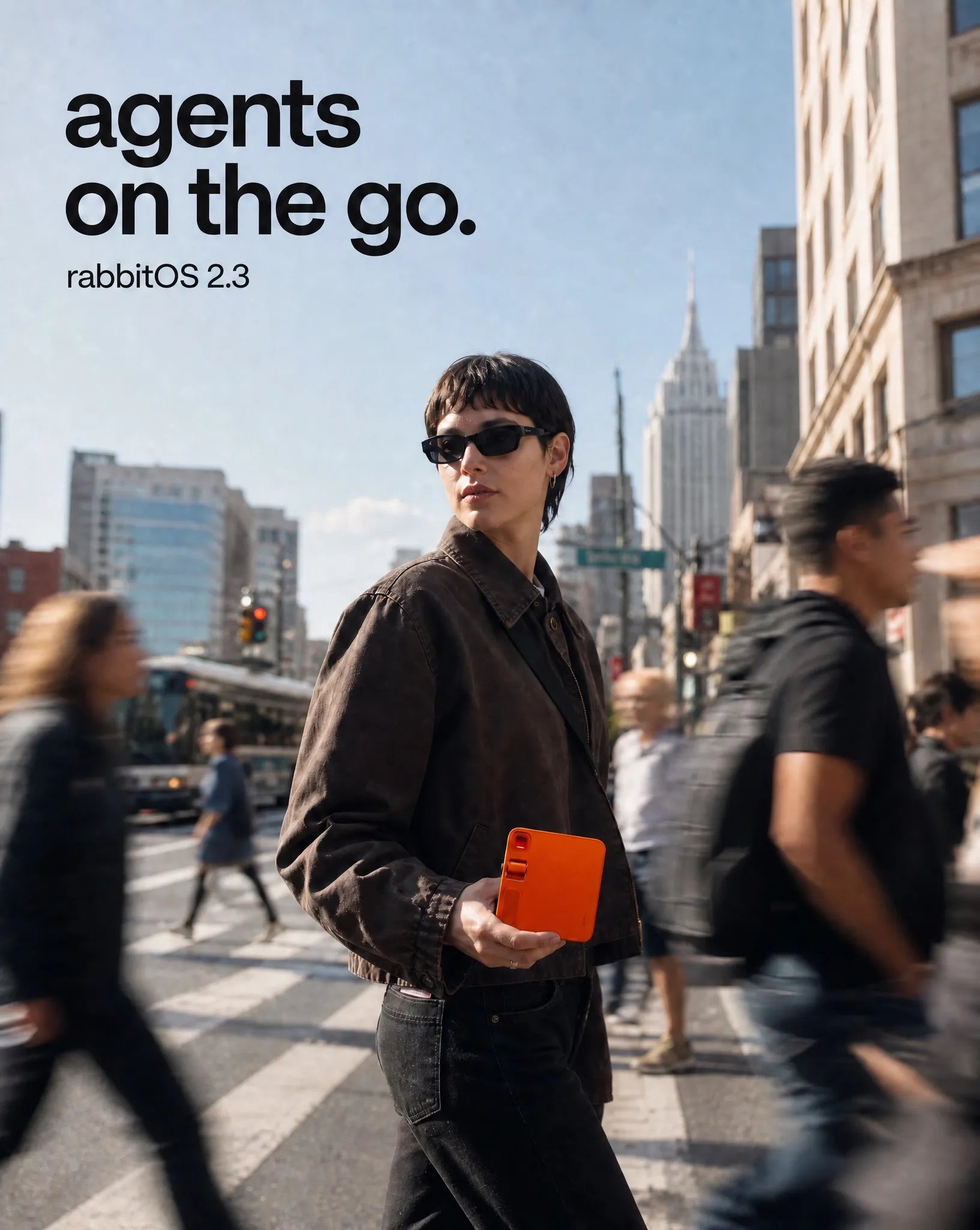
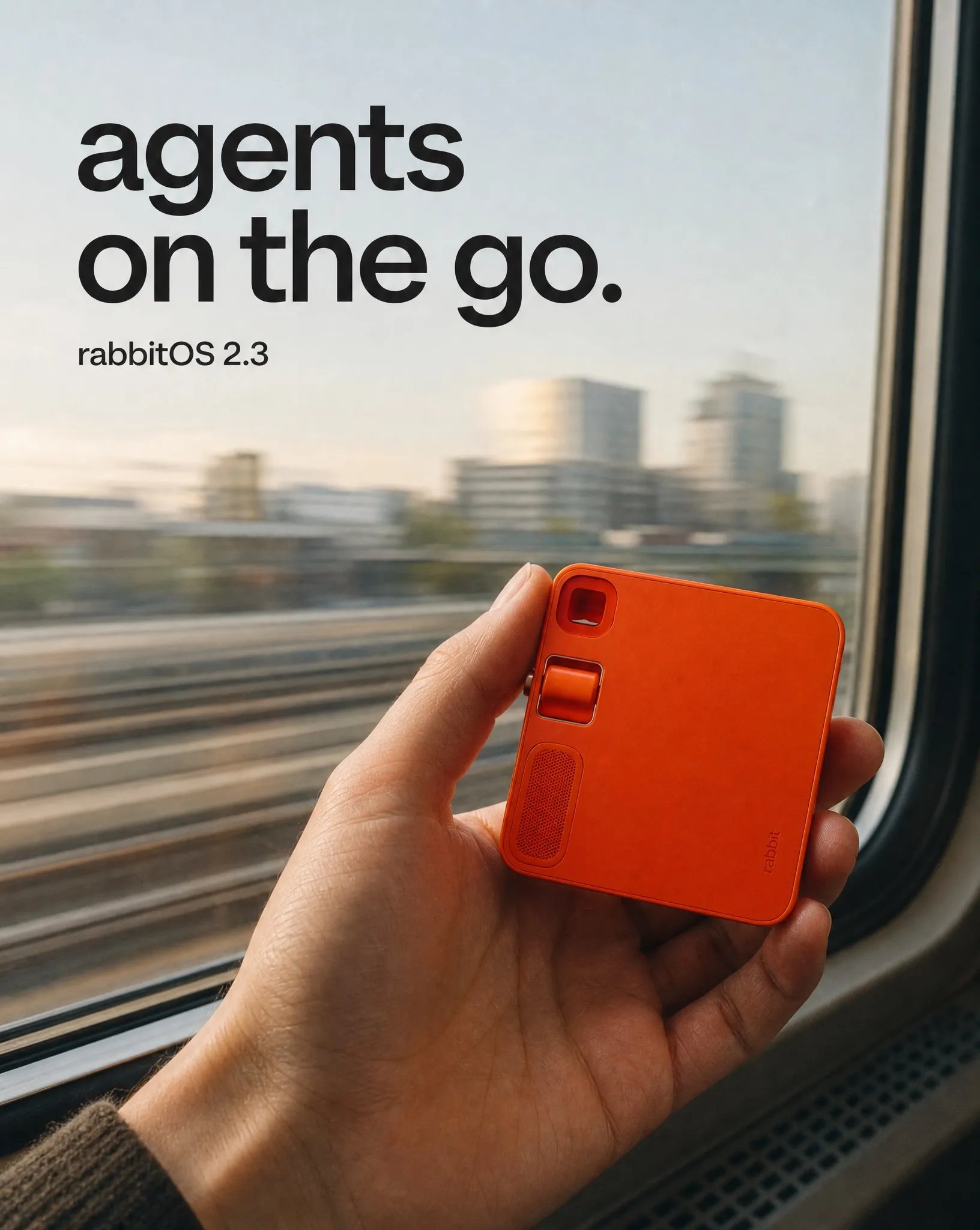 The agent selected direction 01 because it had the clearest type hierarchy, the most accurate product geometry, and enough open space to work across all three sizes.
## One direction, three sizes
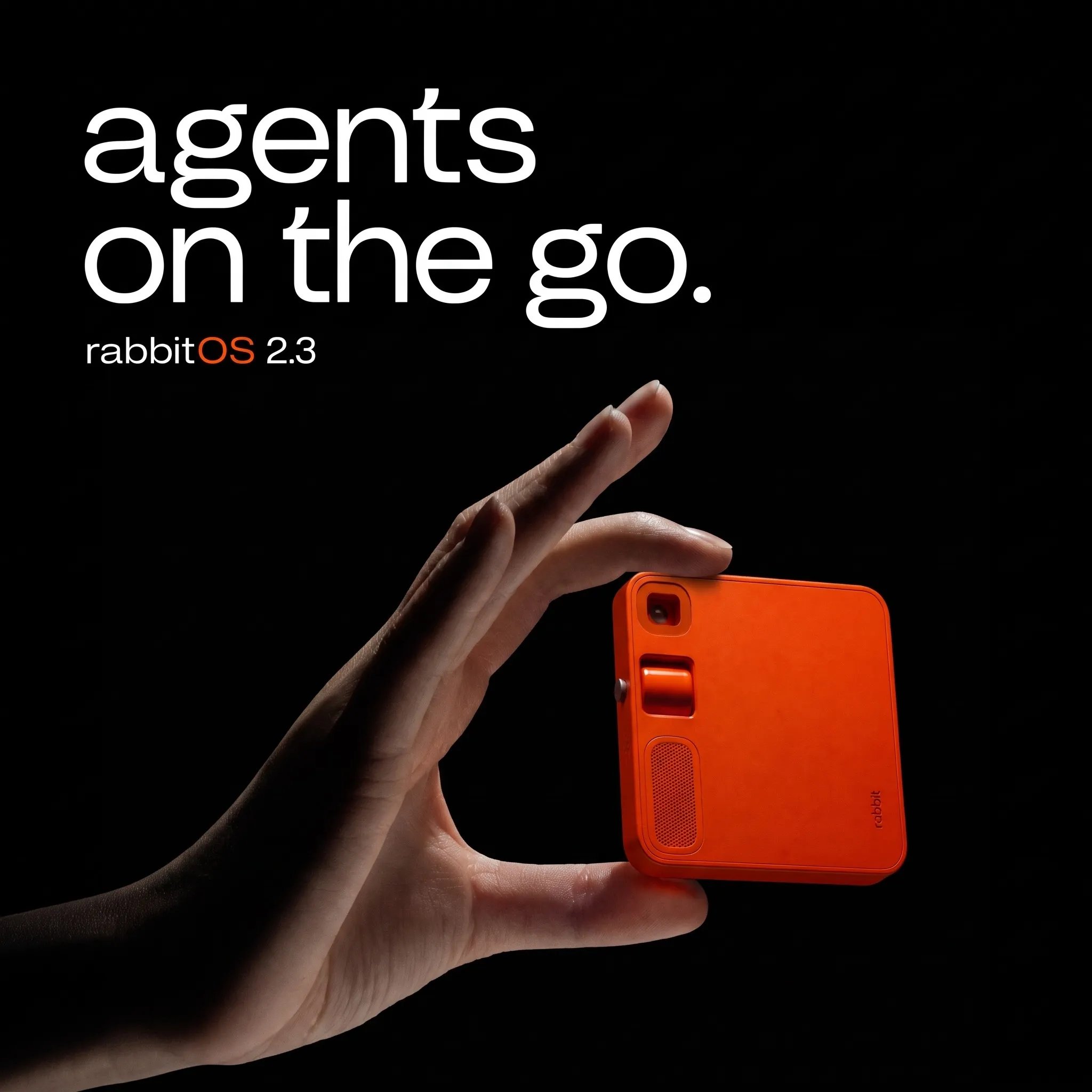
Bloom resized the selected poster for each aspect ratio, adjusting the composition rather than cropping one canvas.
The agent selected direction 01 because it had the clearest type hierarchy, the most accurate product geometry, and enough open space to work across all three sizes.
## One direction, three sizes
Bloom resized the selected poster for each aspect ratio, adjusting the composition rather than cropping one canvas.
 ## Run it with your agent
Setup for Codex, Claude, ChatGPT, Cursor, or any MCP-compatible agent.
Once connected, give your agent this prompt:
```text theme={null}
Use Bloom through MCP to create a campaign image set for [brand website].
Reuse a matching ready brand or create one in Bloom and wait until it is ready.
Inspect the complete active Brand Skill before making creative decisions. Search
the Brand Library for product images that fit the brief and use only relevant
references.
Propose one source-grounded campaign idea. State how many image operations you
plan before using credits. Generate three distinct 4:5 directions at 2K: one
product-led, one lifestyle-led, and one travel-led. Compare their brand fit,
product fidelity, copy, and composition. Select the strongest result, then
resize it to 1:1 and 16:9.
Check every completed image for product fidelity and text accuracy. Do not
publish anything externally.
```
## How it worked
Bloom's Brand Agent created rabbit's brand from `rabbit.tech` and stored the resulting Brand Skill. The connected agent waited until it was ready, then read the active Skill.
The agent asked Bloom for r1 product images from the Brand Library, then chose the references that showed the device clearly. It set one campaign idea around `agents on the go.` for all three directions.
Bloom generated a product poster, a street scene, and a train-window travel scene. Keeping all three at 4:5 made the creative direction easier to compare.
The agent compared every result, selected the product-led poster, and asked Bloom to resize it to 1:1 and 16:9. It then checked the finished set for product fidelity and text accuracy.
For the underlying operations, see [Generate images](/guides/generate-images) and [Edit and adapt images](/guides/edit-adapt-images). Each generation and resize consumes credits; see [Credits and limits](/api/usage-limits).
This independent example uses rabbit; it is not an official rabbit campaign.
## Run it with your agent
Setup for Codex, Claude, ChatGPT, Cursor, or any MCP-compatible agent.
Once connected, give your agent this prompt:
```text theme={null}
Use Bloom through MCP to create a campaign image set for [brand website].
Reuse a matching ready brand or create one in Bloom and wait until it is ready.
Inspect the complete active Brand Skill before making creative decisions. Search
the Brand Library for product images that fit the brief and use only relevant
references.
Propose one source-grounded campaign idea. State how many image operations you
plan before using credits. Generate three distinct 4:5 directions at 2K: one
product-led, one lifestyle-led, and one travel-led. Compare their brand fit,
product fidelity, copy, and composition. Select the strongest result, then
resize it to 1:1 and 16:9.
Check every completed image for product fidelity and text accuracy. Do not
publish anything externally.
```
## How it worked
Bloom's Brand Agent created rabbit's brand from `rabbit.tech` and stored the resulting Brand Skill. The connected agent waited until it was ready, then read the active Skill.
The agent asked Bloom for r1 product images from the Brand Library, then chose the references that showed the device clearly. It set one campaign idea around `agents on the go.` for all three directions.
Bloom generated a product poster, a street scene, and a train-window travel scene. Keeping all three at 4:5 made the creative direction easier to compare.
The agent compared every result, selected the product-led poster, and asked Bloom to resize it to 1:1 and 16:9. It then checked the finished set for product fidelity and text accuracy.
For the underlying operations, see [Generate images](/guides/generate-images) and [Edit and adapt images](/guides/edit-adapt-images). Each generation and resize consumes credits; see [Credits and limits](/api/usage-limits).
This independent example uses rabbit; it is not an official rabbit campaign.